Split the bill by what everyone actually ordered.
Scan the receipt, tap who had what, and ReceiptStreet works out each person's share, with tax and gratuity included.
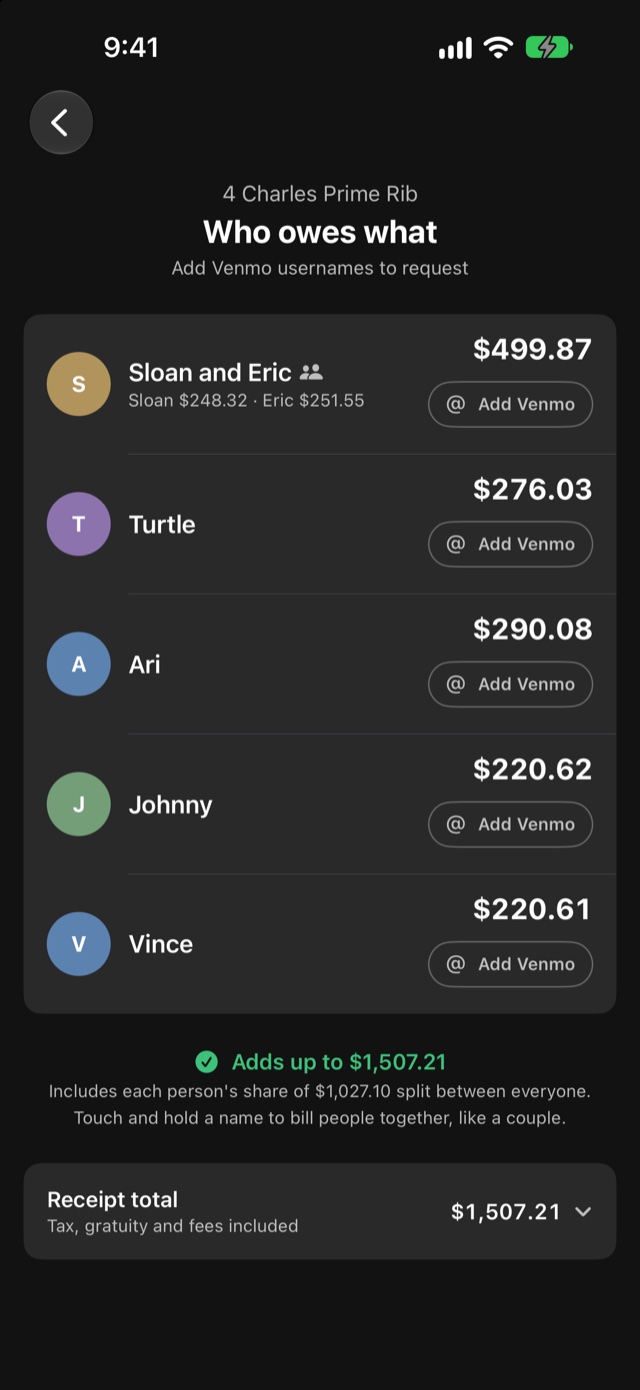
Three steps from receipt to request.
-
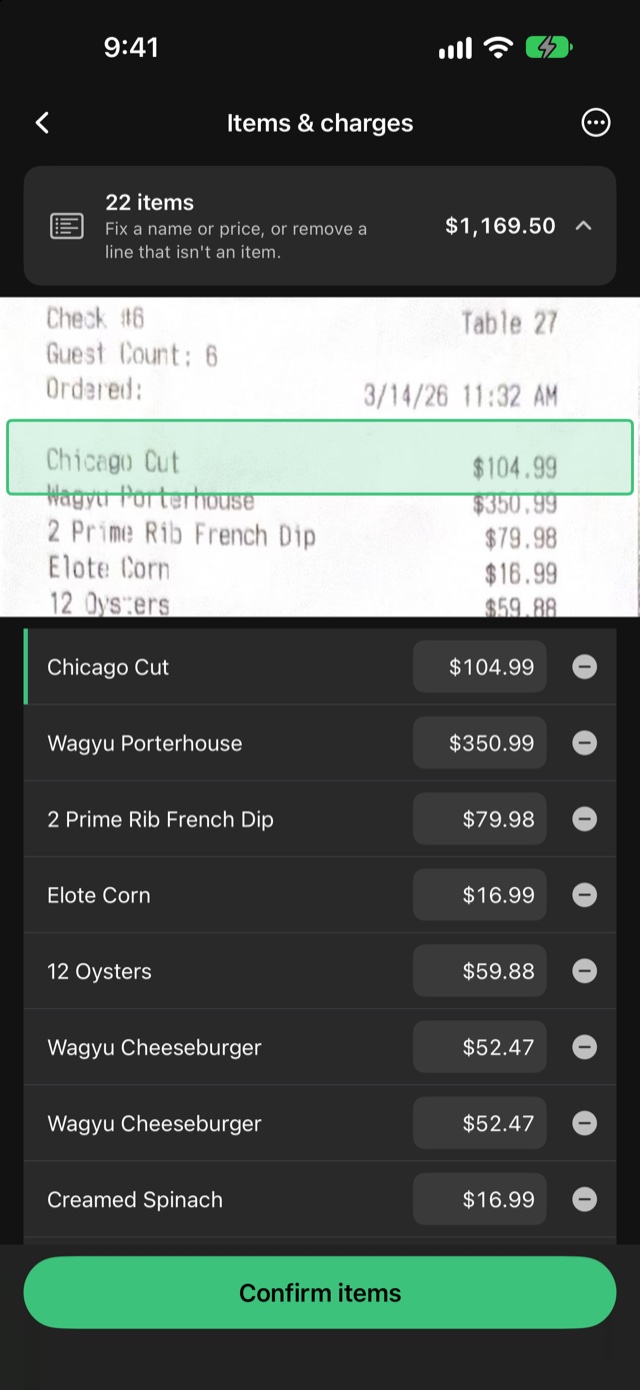
Scan the receipt.
Take a photo, pick one from Photos, or share it from another app. The items and prices are read on your iPhone and checked against the printed total, so you'll know if something was misread. You can fix anything.
-
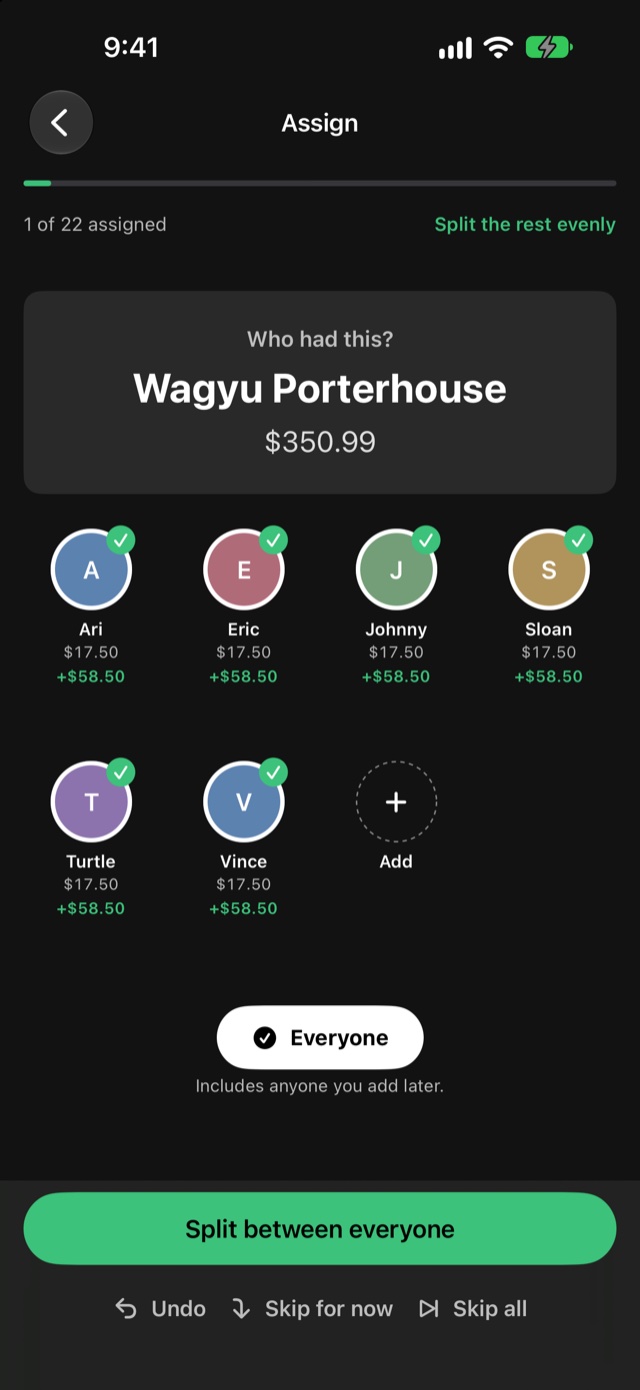
Tap who had what.
Tap an item, then everyone who had it. Shared plates are split between the people who shared them, and "Everyone" covers the table.
-
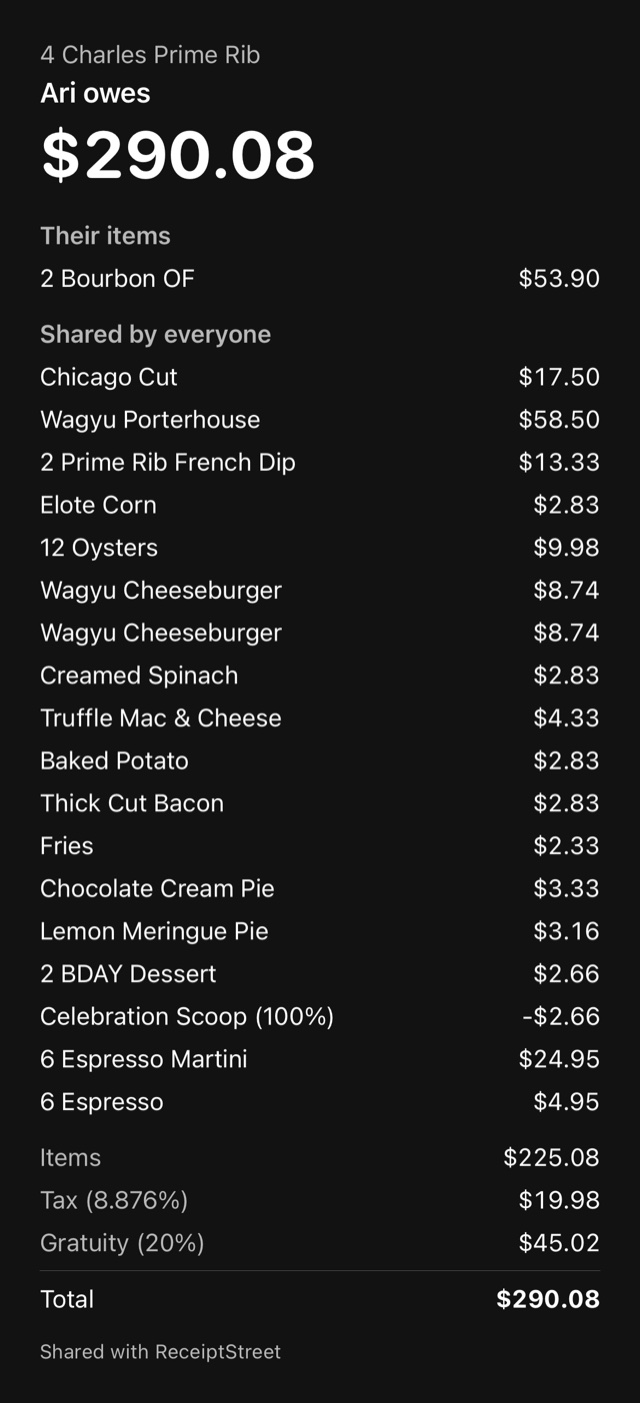
Send each person their share.
Send a picture of what they owe, or open a Venmo request with the amount already filled in. Only you need the app.
No more splitting the receipt on a calculator.
Tax and gratuity follow the order.
If you had the steak, you pay the tax and gratuity on the steak, not a third of everyone's.
It adds up to the cent.
The shares always total exactly what's on the receipt, so nobody covers a stray penny.
Couples can pay together.
Put two people on one request instead of two.
Your receipts stay on your iPhone.
No account, no sign-in, no tracking. ReceiptStreet doesn't have servers that receive your receipts. The only time it goes online is to look up the venue's name from the printed address on Apple Maps, or when you open Venmo yourself.
Questions
- Do my friends need the app?
- No. Only the person splitting the bill. Everyone else gets a picture or a Venmo request.
- What if it misreads something?
- It compares what it read with the receipt's subtotal and total and shows you when they don't match. You can edit any item, price, tax or gratuity before you save.
- Do I need Venmo?
- No. You can send each person a picture of their share instead.
- Is it on Android or iPad?
- It's for iPhone, in the US, for now.
Next time you pick up the check, scan it.
For iPhone in the US